


How to Submit a CHAMP Support Request

Last updated: Jun 03, 2026
537
views

From the CHAMP dashboard click on the 'Help' button, then on the next page, click on 'New Request'
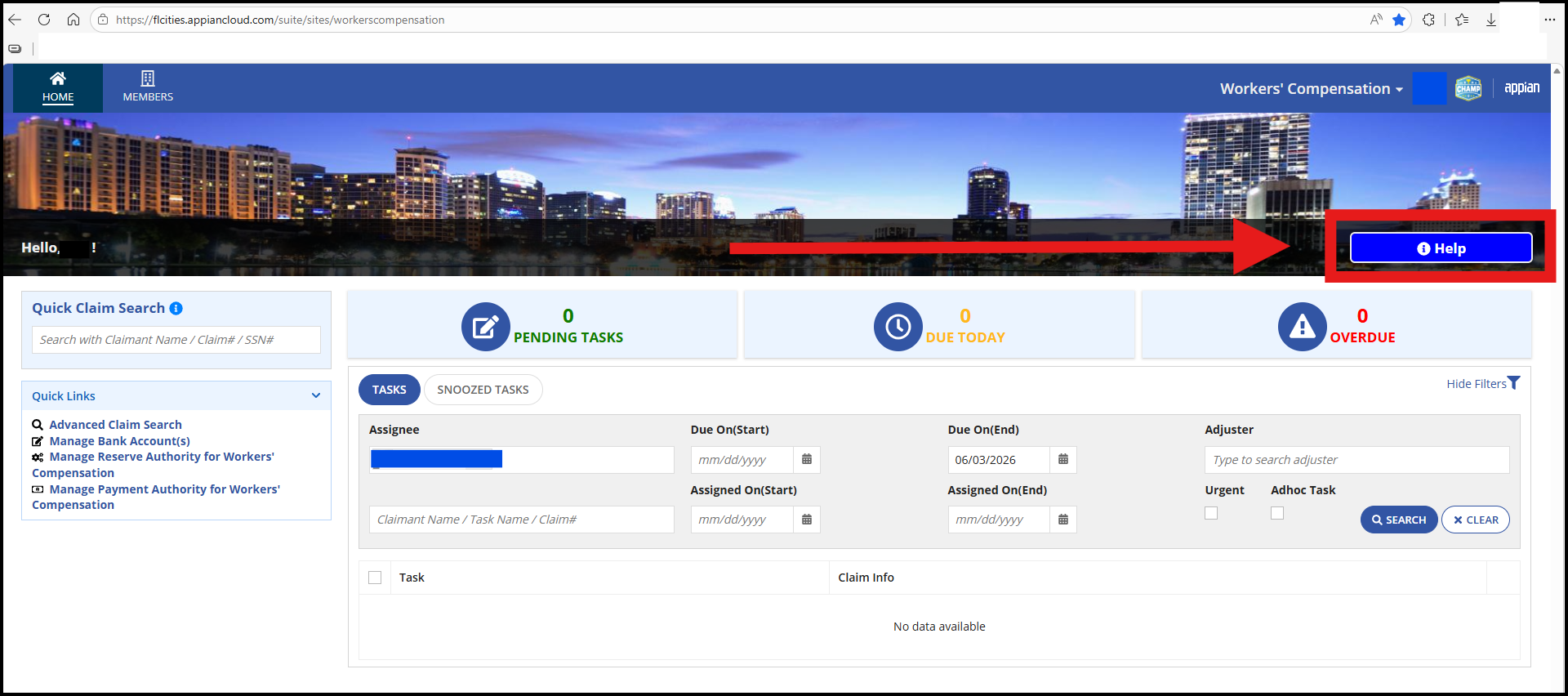
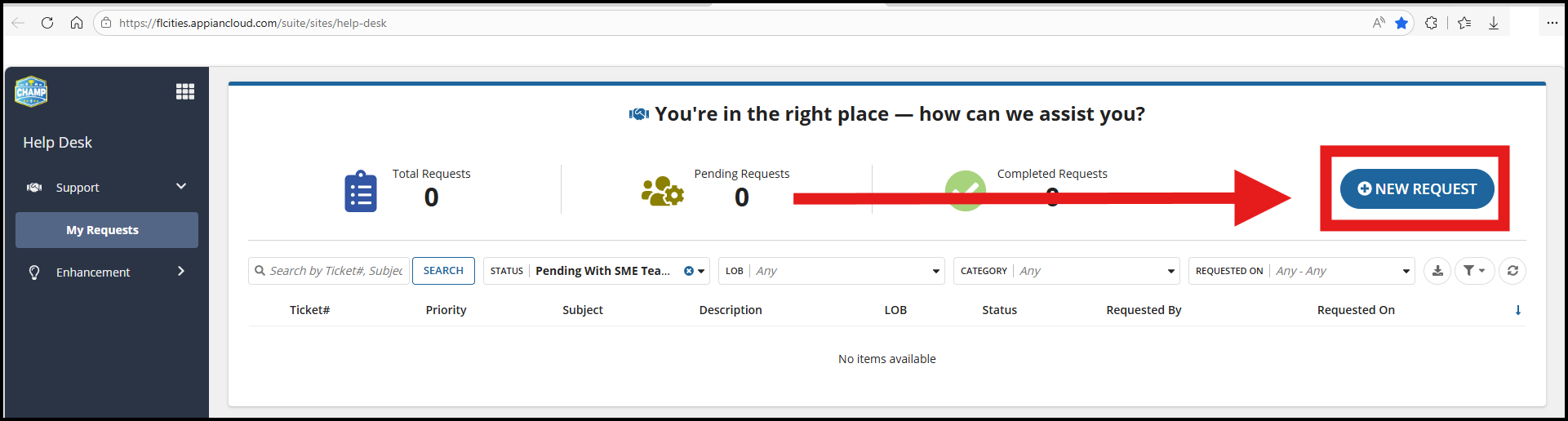
From the CHAMP dashboard click on the 'Help' button, then on the next page, click on 'New Request'
Please let us know why this article wasn't helpful to you:

